


About
Style Guide for OSR.org
This is the current Style Guide for OSR.org. We’re trying to keep it as up-to-date as possible :)
<span class="blue-box">Text in a blue box</span>
Becomes:
Text in a blue box
<h2><span style="color:#15acdf;">Header in blue</span></h2>
Becomes:
Header in blue
<h2>A regular header</h2>
Becomes:
A regular header
<h3>A smaller regular header</h3>
Becomes:
A smaller regular header
<h4>Even samller regular header</h4>
Becomes:
An even smaller regular header
<p style="text-align: center;"><a class="button button-orange medium arrow" href="https://osr.org">Orange Button!</a></p>
Becomes:
<p style="text-align: center;"><a class="button button-blue medium arrow" href="https://osr.org">Blue Button!</a></p>
Becomes:
<blockquote>"This is a blockquote"</blockquote>
Becomes:
“This is a blockquote”
<a href="#popup">Newsletter sign-up pop-up</a>
Becomes:
For including YouTube video’s, use the ‘include code’ from YouTube in the Text Tab (so not in the Visual Tab).
Adding https://youtu.be/PwR2wggdIgY will for example result in:
- To create regular lists, numbered lists, links etc., it’s recommended to use the WP editor.
- To optimize the way an article is displayed in the search engines, please use the Snippet Editor.
Image guide
Below is the guide to using images. It’s not 100% complete yet, but for now it will do.
Sources
- Pixabay, Pexels and Unsplash are good sources for free to use images. Attribution is not required.
- Please don’t use any other image sources, although we might be switching to GPT4 for creating our ‘own’ images soon.
File dimensions and optimization
The optimal dimensions for images are:
- 758 x 253; for the thumbnails > Please make sure to crop the images nicely, so they don’t look streched.
- 758 x 466; for the large images inside the articles
When you cut images to the right size in Photoshop (or other editing software), please save the files for web at 70% quality. For further optimization (reducing the file size of the image), please download ImageOptim and optimize each image with this software before you upload it to WordPress.
Attribution
Whenever you upload an image, please always include the link to the original source in the Credits field, like below:
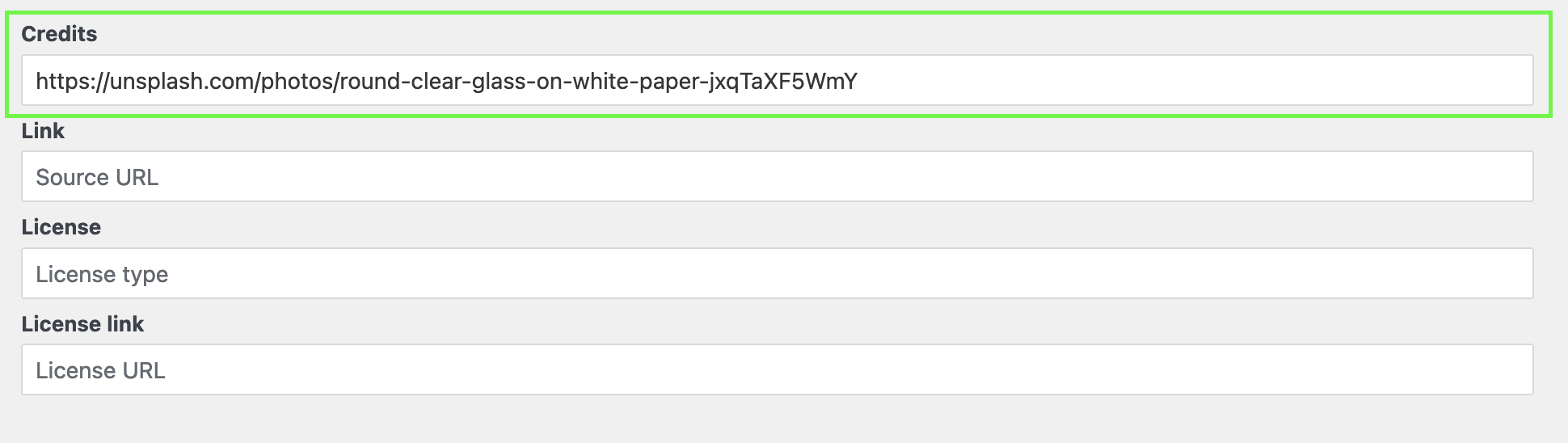
Crediting images (example) – this only applies to Wikimedia Commons images, which we will no longer be using from 2024 on.
Please note that “Public domain” images don’t legally have to be attributed, so if you come across these you can skip this step.
- Example image (opens in new tab/window)
- Click on Use this file on the web (its on the right side of the image)
- Thick the HTML checkbox on the right of ‘Attribution’.
- Copy the Attribution. In this case ‘By NASA / JHUAPL / SwRI [Public domain], <a href=”https://commons.wikimedia.org/wiki/File%3ANH-Pluto-color-NewHorizons-20150713.png”>via Wikimedia Commons</a>’.
- Paste the credits as the caption of the image.
- Done!